Chapter 03 · Academics, activities, and test scores
Academics, activities, and test scores
Record schools attended, activities, test scores, and interests to support research and application planning.
On this page
Add a school record#
- Open the student and choose Academics.
- Find the section for the type of school and select its add button.
- Choose the institution and enter the dates and academic details.
- Save the record. To correct it later, use the edit control on that entry.
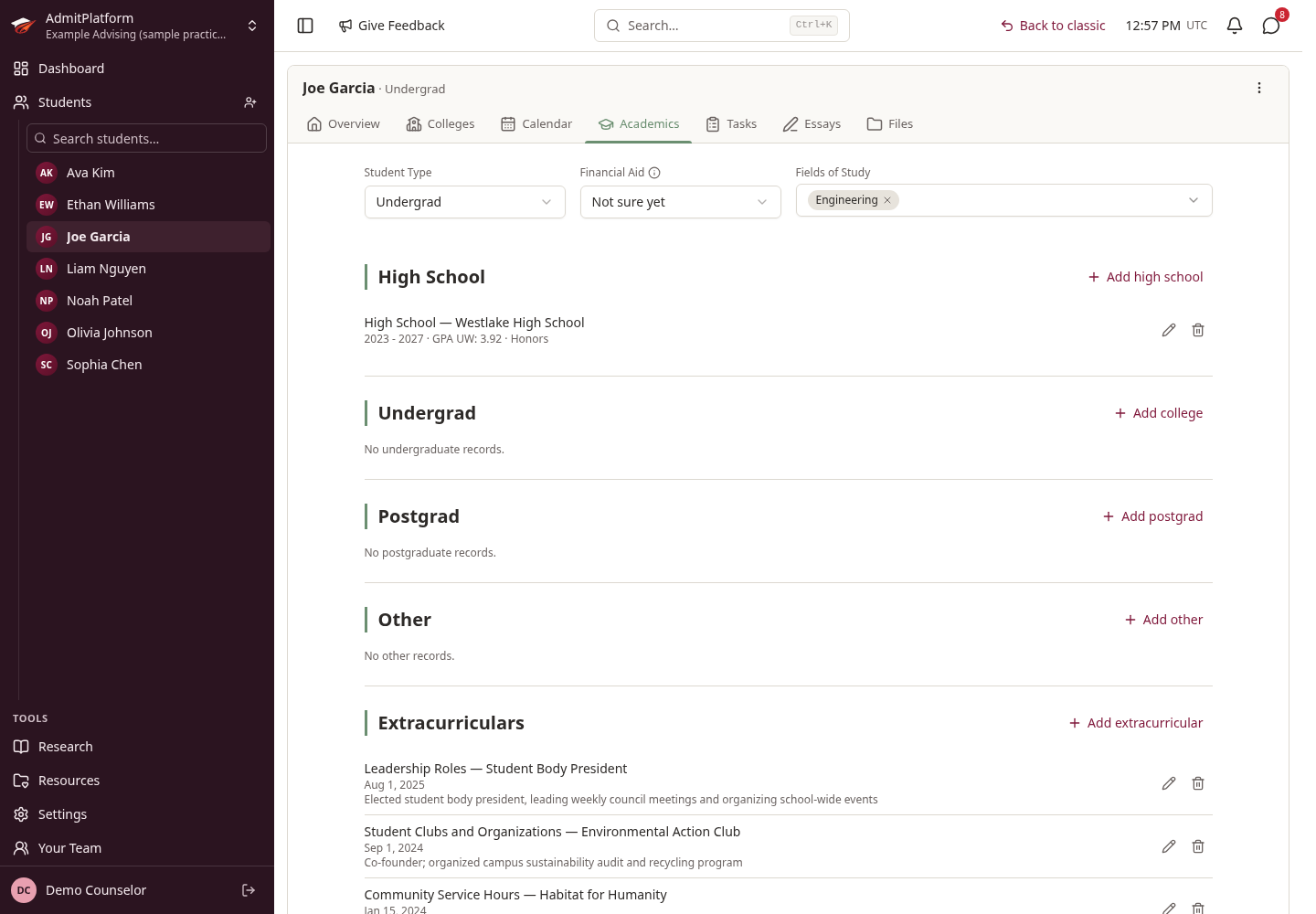
Earlier local sample capture with fictional records. Current controls may differ; open the image for a full-size view.
Add activities or test scores#
- In Academics, choose Add extracurricular or Add standardized test.
- Enter the activity details, or select the test and enter its scores and applicable details.
- Save. Use the entry's edit control for corrections; add a new test record for a separate sitting.
Set planning preferences#
- At the top of Academics, choose Student Type and desired fields of study.
- When financial tracking is enabled, choose Financial Aid to set the default for FAFSA and CSS Profile on new applications.
- To change aid statuses on an existing application, open that application separately.
These planning controls are counselor-only. Families can contribute school, activity, and test records through their portal.
Next: research colleges.
Last updated November 10, 2026